
Knowledge Base
Asset Management
Last updated on April 14th, 2026
About Asset Management
The Asset Management add-on allows for assets to be a larger focal point of your business, allowing you to create jobs to service those assets.
- New tabs are added to each asset instance – Finance, Service Settings, Service History, and Monitor Points
- Service jobs can be created manually or automatically based on settings to perform maintenance on assets or use them in a recurring fashion.
Asset Configuration Tabs
When the Asset Management add-on is enabled, the following tabs will be added to asset instances both when creating and editing.
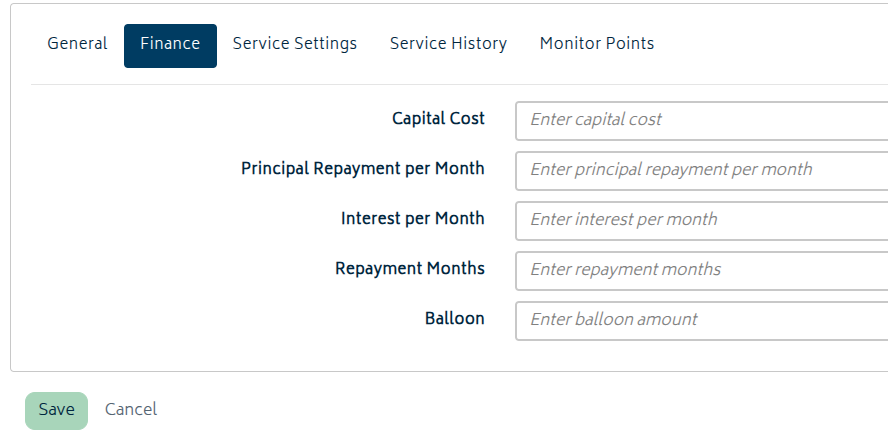
Finance
The Finance tab allows you to enter financial figures for the asset – its capital cost, principal repayment per month, interest per month, repayment months, and balloon. At present, these figures are for internal reference only.
Service Settings
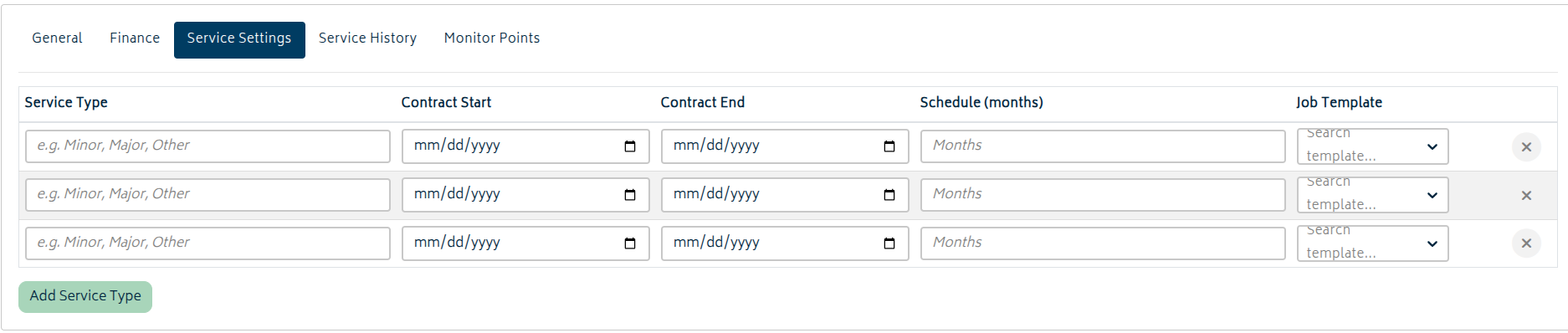
The table lets you add one or more service rows using Add Service Type. These are used in conjunction with the organisation scheduling window to automatically generate draft service jobs for the asset during the period of the contract.
There are two types of service that can be linked to an asset – automated service types and on-demand service types. Automated services will be scheduled automatically based on the schedule and the contract start and end date. On-demand services can be linked to an asset without contract dates, schedule, or even a job template. These are available for manual service-job creation when needed.
For automated services, each service row requires all of the following entries:
- Service Type (text)
- Contract Start Date
- Contract End Date
- Schedule (months) (the number of months between automatic service job scheduling)
- Job Template (selected from template dropdown)
If you need to create or update many service types, you can use the CSV import/update and export tools on the Asset Instance List to manage the shared service-type catalogue in bulk before assigning those service types to individual assets.
Service History
The Service History tab on an asset instance shows service jobs linked to that instance, including:
- Service Type
- Job Ref
- Start Date
- Customer
- Total Revenue
- Total Cost
- Status

This history is computed from linked service jobs and recorded usage/cost data.
Monitor Points
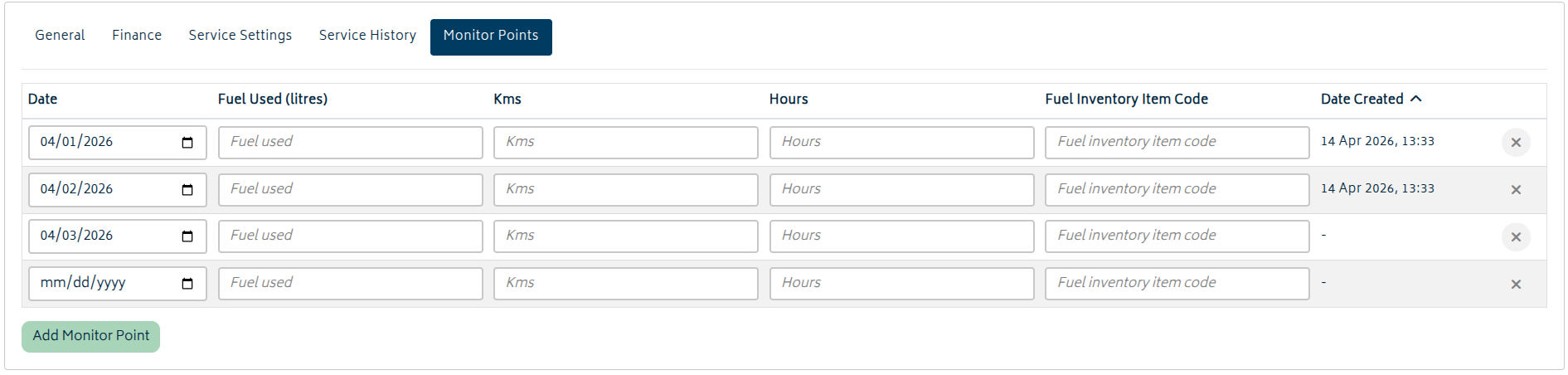
Monitor Points are per-instance usage readings stored with the asset instance. Each row tracks operational values used for servicing and reporting. The following fields are available for entry:
- Date (Required)
- Fuel Used (litres)
- Kilometres
- Hours
- Fuel Inventory Item Code
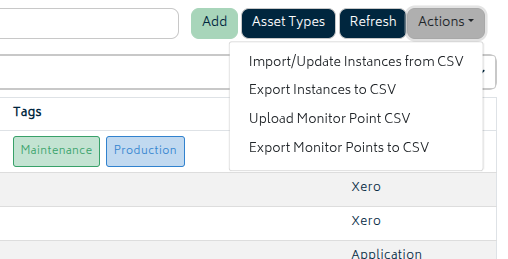
Monitor points can be imported and exported via CSV from the asset instance list for convenience and for reporting. As long as Asset Management is enabled, the options to “Upload Monitor Point CSV” and “Export Monitor Points to CSV” will be added to the Actions menu on the list.
When exporting monitor points, Gojee opens a date-range modal first. Select a From date and a To date, then click Export. The available range is limited to a maximum of 365 days – these days are the dates of the monitor points, not the date the records were made.
The monitor point export includes columns for asset code, asset type, instance name, customer, tags, date, fuel used, fuel inventory item code, kms, hours, and date created. You can use this as a basis for importing new monitor points.
When importing, any dates that already exist in the system will be flagged and prevent import. This is to prevent duplicate entries or accidental mass updates.
In the future, there are plans to make monitor points automatically deduct fuel from inventory based on monitor point entry, but this is not implemented at this time.
Service Jobs
Asset service settings define recurring maintenance plans for a specific asset instance. Each service will create draft service jobs automatically when the next due date falls within your organisation scheduling window if a job has not already been created for that service. Service jobs are normal Gojee jobs that mostly follow the same flow a customer job does, but appear under Jobs > Service Jobs.
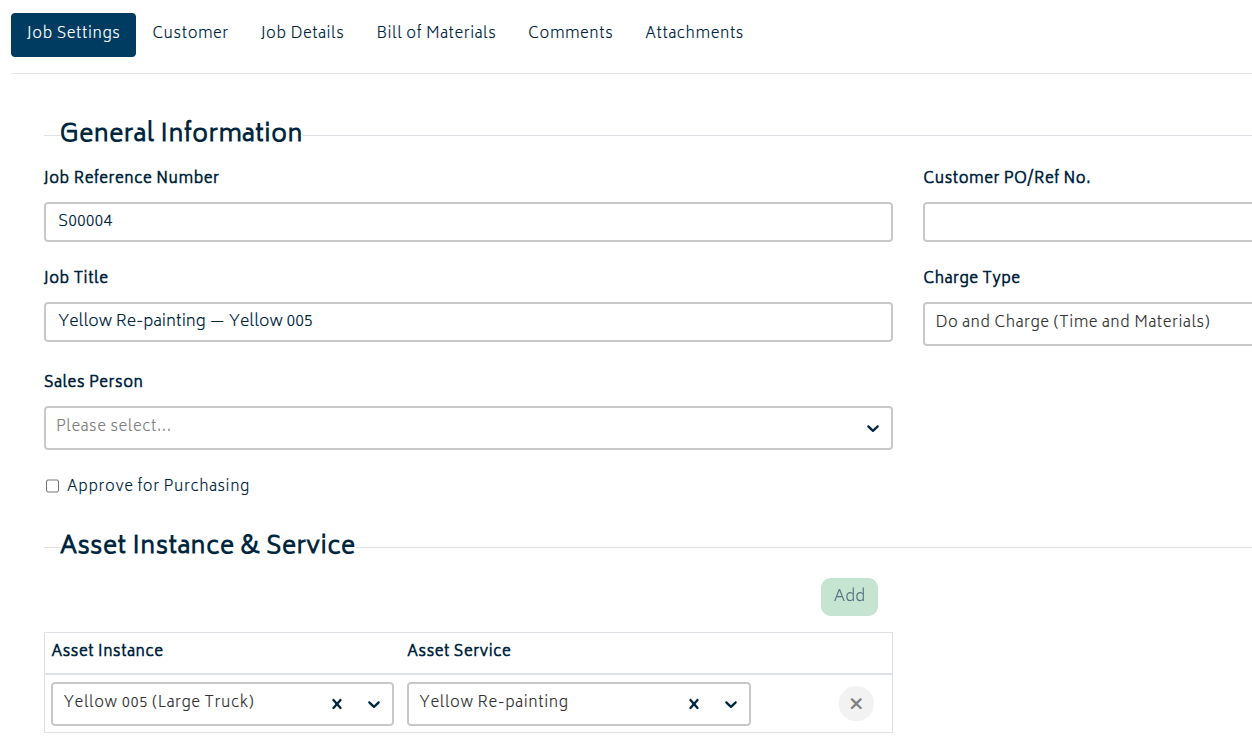
Gojee runs a service scheduler that checks asset services and creates draft service jobs when due:
- It uses the last completed service job date as the anchor when available.
- If no completed service exists yet, it uses the contract start date.
- It respects contract end date (no jobs will be scheduled after this date) and the schedule (how many months between jobs).
- It only creates jobs within the organisation window (configured under Organisation Setup > Resource Settings).
When a template is configured, that template is inserted into the created service job BOM as the starting point for that job. The customer set on the General tab of the asset management page will be used as the customer for the job.
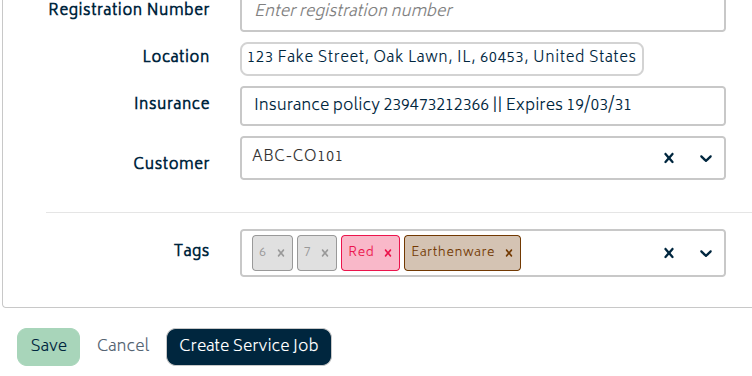
Service jobs can be created manually as well. When editing an asset as a customer job manager or above, a Create Service Job button will be available at the bottom of the screen. This opens a new service job with the current asset instance already selected in the Asset Instance & Service section. You can also just click “Add” from the Service Jobs page. Service jobs created in this way do not enforce a one of the asset’s pre-set services to be selected, but you can still pick one as a starting point.